What is accounts payable automation? A complete guide for finance teams
October 6, 2026 · 9 min read · By Charles Ugo
invoice
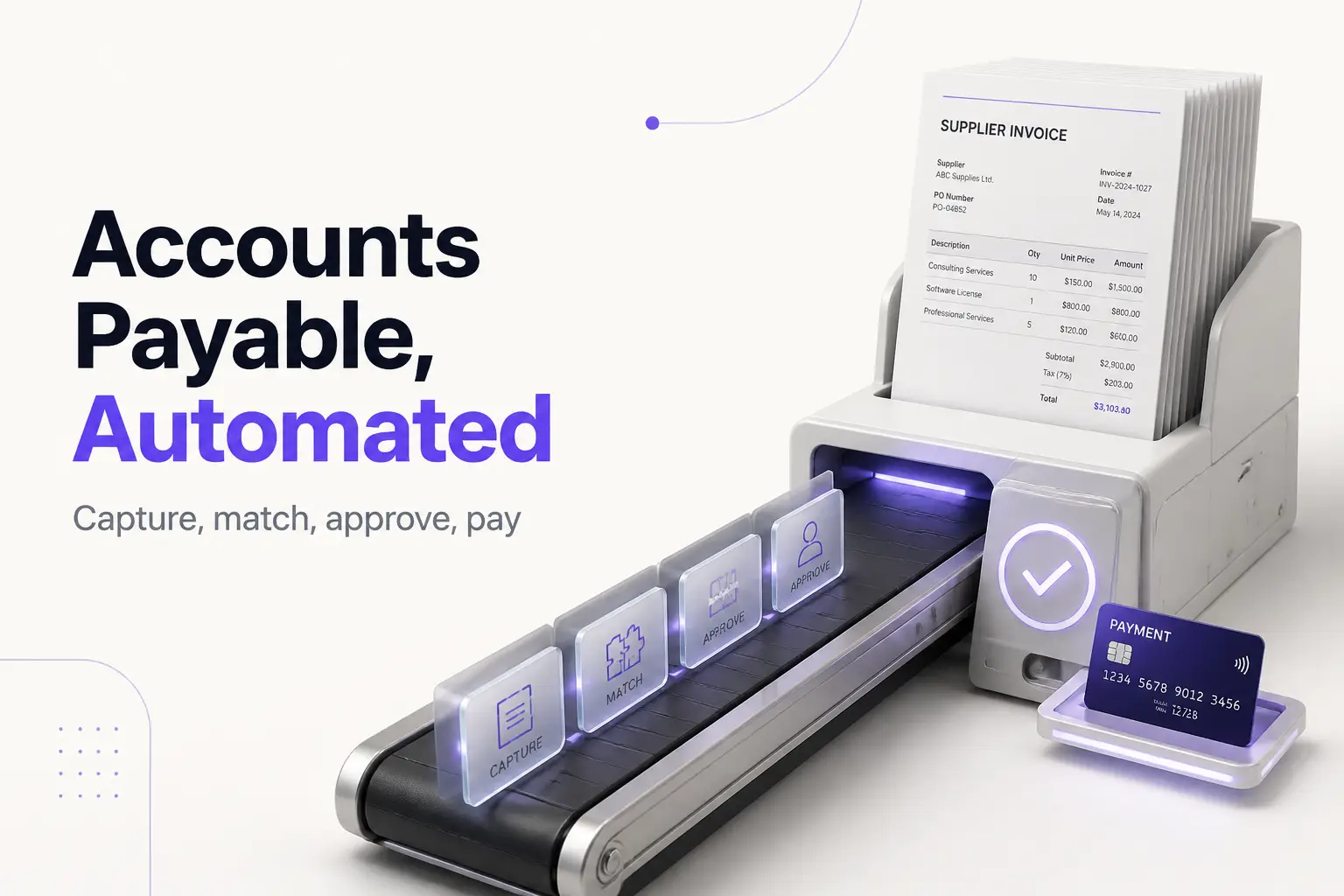
Accounts payable automation is software that turns the bills your business owes into approved, paid, and recorded transactions without the manual data entry. It captures each supplier invoice as it arrives, reads the key details, checks them against your records, routes the invoice for approval, schedules the payment, and syncs the result to your accounting system — replacing the slow, error-prone version done by hand in a spreadsheet and an email inbox.
One honest note up front, because this is an invoicing site. Accounts payable is the opposite of what our tool does. AP is the money you owe suppliers; accounts receivable is the money you are owed by customers. If your real job is billing clients and getting paid faster, you do not need an AP tool at all — our free invoice generator builds a clean, itemized invoice in under two minutes, and our guide to accounts receivable automation software covers the collect-the-money side. Read on if your job is paying the bills that land in your inbox.
Accounts payable, in one minute
Accounts payable is the money your business owes to suppliers for goods or services you have received but not yet paid for. It shows up as a short-term liability on your balance sheet. When a vendor sends you an invoice, that unpaid invoice becomes a payable until you settle it.
Under accrual accounting, you record the expense when the bill is incurred — not when the cash actually leaves your bank. The IRS explains this timing difference between the accrual and cash methods in Publication 538. That is why keeping payables accurate matters: your books should reflect what you owe the moment an approved invoice lands, not weeks later when payment clears.
The manual version of this job is tedious. Someone opens the invoice, types the vendor, amounts, line items, and dates into the accounting system, finds the matching purchase order, walks the invoice around for sign-off, schedules a payment, then files it. Every step is a chance to mistype a number, pay a bill twice, miss a due date, or lose an invoice in an email thread. Automation exists to remove those steps.
What accounts payable automation actually does
Under the marketing, every AP automation tool automates the same cycle a clerk would otherwise do by hand. There are five core stages.
1. Capture. The bill arrives — as a paper invoice, a PDF by email, or a structured electronic file — and the software reads it, usually with optical character recognition (OCR), pulling out the vendor, amounts, line items, dates, and tax. Modern tools add machine learning so they recognize odd layouts without a template for each vendor.
2. Match. The tool compares the invoice against your own records. Two-way matching checks the invoice against the purchase order — did we order this, at this price? Three-way matching adds the receiving record, so you only pay for what was ordered and actually delivered. (This is where the line between a purchase order and an invoice does real work.)
3. Route for approval. Based on rules you set — by amount, department, vendor, or cost center — the invoice goes to the right approver automatically, instead of sitting in an email chain that stalls when someone is on vacation. Dedicated invoice approval software is the piece that handles this well.
4. Pay. Once approved, the tool schedules and sends the payment by your chosen method — ACH, card, check, or wire — often timed to capture an early-payment discount or simply to avoid a late fee.
5. Reconcile and report. The finished transaction syncs back to your accounting system, and a dashboard shows what you owe, what is approved, and what is overdue in real time — no month-end scramble to figure out your liabilities.
The whole point is straight-through, or touchless, processing: an invoice that matches cleanly within set tolerances flows from arrival to scheduled payment with no human touch. A person only steps in for exceptions — an invoice that does not match, exceeds a threshold, or has no purchase order.
A worked example: one invoice, two ways
Say a coffee shop receives a $2,400 invoice from a supplier for beans it ordered.
By hand. The bookkeeper opens the PDF, types the vendor and $2,400 into QuickBooks, digs up the purchase order to confirm the price, emails the owner for approval, waits two days for a reply, schedules an ACH payment, then files the invoice in a folder. Elapsed time: parts of four days, plus roughly 15 minutes of hands-on work. If the owner had been traveling, it could easily miss the due date.
With automation. The invoice hits a dedicated inbox. OCR reads it and pulls out the vendor, $2,400, and the line items. The tool finds the matching purchase order, confirms the price is within tolerance, and — because it is under the owner's $5,000 auto-approve rule — schedules the ACH payment for the due date and records it in QuickBooks. Elapsed time: minutes, with zero manual typing. The owner sees it on a dashboard and never has to touch it.
Same invoice, same $2,400. The difference is where the time and the risk went.
The numbers: what automation actually saves
The headline benefit is cost per invoice. According to Ardent Partners' 2024 research, the fully loaded cost of processing a single invoice by hand averages about $12.88, while best-in-class automated teams do it for roughly $2.78. Treat those as vendor-cited benchmarks, not a promise — your own number depends on wages, volume, and how messy your current process is.
Here is a simple ROI sketch. Suppose you process 300 invoices a month:
- Manual: 300 × $12.88 ≈ $3,864/month
- Automated (best case): 300 × $2.78 ≈ $834/month
- Rough monthly saving: about $3,000, before you count avoided late fees and captured early-payment discounts.
Against that, a mid-range AP tool might cost a few hundred dollars a month. The math clearly favors automation at 300 invoices. Now run it at 15 invoices a month: manual cost is about $193, and a subscription may cost more than the time it saves. That is the honest catch — automation pays off with volume, and can be a waste without it.
The other savings are harder to put a single number on but real: fewer duplicate payments, fewer keying errors, on-time payments that avoid penalties, early-payment discounts you were too slow to capture before, and a clear view of what you owe at any moment.
Common mistakes when adopting AP automation
- Automating a broken process. If your approval rules are a mess on paper, they will be a mess in software. Map who should approve what before you configure the tool, or you will just automate the chaos.
- Buying for a volume you do not have. An enterprise platform priced by invoice volume is overkill for a business paying 30 bills a month. Start with the AP features in your accounting app and upgrade only when volume forces it.
- Skipping the accounting integration. A tool that does not sync cleanly to QuickBooks, Xero, or your ERP just moves the manual data entry to a different screen. Confirm the integration before you buy.
- Dropping the fraud controls. Faster payments cut both ways. Keep three-way matching, spending thresholds, and separation of duties on — automation should tighten controls, not loosen them. Watch especially for vendor bank-detail change requests, a classic invoice-fraud entry point.
- Ignoring exceptions. Touchless rates are never 100 percent. Someone still has to own the exception queue, or mismatched invoices pile up unpaid.
- Confusing capture accuracy with correctness. OCR reads what is on the page; it does not know if a vendor overbilled you. Matching and approval — not capture — are what protect you.
Do you actually need it?
Not every business does. If you pay a handful of bills a month and get to each one on time, the accounts payable features already inside QuickBooks or Xero, plus a careful eye, will cover you at no extra cost. Dedicated AP automation earns its keep when invoice volume climbs, when approvals keep stalling, or when manual entry is causing errors and late fees you can measure.
When you are ready to compare specific tools by price and fit, our guide to the best AP automation software walks the leading options and runs the ROI math for your volume. And if it turns out your real problem is getting paid rather than paying — the far more common pain for freelancers and small businesses — start with our free invoice generator instead.
Frequently asked questions
What is accounts payable automation in simple terms? It is software that does the repetitive work of paying your suppliers: capturing each bill, reading the details, checking them against your records, routing the invoice for approval, scheduling payment, and recording it — with far less manual typing than doing it by hand.
How does it work? It follows the same five steps a clerk would, automatically: capture the invoice (usually with OCR), match it to the purchase order and receiving record, route it to the right approver by your rules, schedule and send payment, and sync the result to your accounting system. Clean matches can be paid with no human touch; mismatches are flagged for review.
How is AP automation different from AR automation? AP is the money you owe suppliers, so AP automation handles paying incoming bills. AR is the money customers owe you, so AR automation handles sending invoices and collecting payment. Opposite ends of the same cash flow.
What are the main benefits? Lower cost per invoice, faster processing, fewer errors and duplicate payments, better visibility into liabilities, stronger fraud controls, and the ability to capture early-payment discounts and avoid late fees.
What is touchless invoice processing? An invoice that moves from arrival to payment with no manual intervention because it matches cleanly within set tolerances and clears your approval rules automatically. People handle only the exceptions.
Is it the same as e-invoicing? No. E-invoicing is receiving a bill as structured electronic data; AP automation is the broader system that processes an invoice however it arrives. E-invoicing feeds cleaner data in, but automation still handles paper and PDF bills too.
A note on tax: this article is general information, not tax or legal advice. Sales-tax handling on the bills you receive is state- and transaction-dependent, and value-added tax (VAT) is a non-US concept — inside the US the relevant charge is sales tax. Check your own situation or ask a professional.
Accounts payable automation is not magic; it is the same invoice-to-payment cycle you already run, done faster, cheaper, and with fewer mistakes. Figure out your monthly invoice volume first — that single number tells you whether a tool will pay for itself or just add a subscription. And if the bills you care about are the ones you send, you are on the right site: our invoice generator is the fastest way to get one out the door.